
Mobile app of Pin Up main site. Android APK <50 MB, iOS PWA, 10,000+ games, sports betting, bKash deposits — all in-app. Native Bengali language, live cricket streaming, push notifications.

| Android APK size | <50 MB |
| Installed size | 80–100 MB (with cache) |
| Minimum Android | 6.0 (Marshmallow, 2015) |
| RAM required | 1 GB minimum |
| Free space | 200–300 MB |
| iOS version | PWA (install from Safari) |
| Minimum iOS | 12.0+ |
| Price | Free (100% gratis) |
| Languages | Bengali + English + 35+ others |
| Total games in-app | 10,000+ |
| Live streaming | IPL, BPL, EPL, La Liga |
| Push notifications | Yes (bonus, match alerts) |
| Update method | In-app auto + manual |
The only way to use the Pin Up app on Android is the official APK file. Google Play bans gambling apps, so Pin Up distributes it directly from the site.
Official link on the Pin Up home page — "Android App" button. A QR code is also available — scan it on your phone.
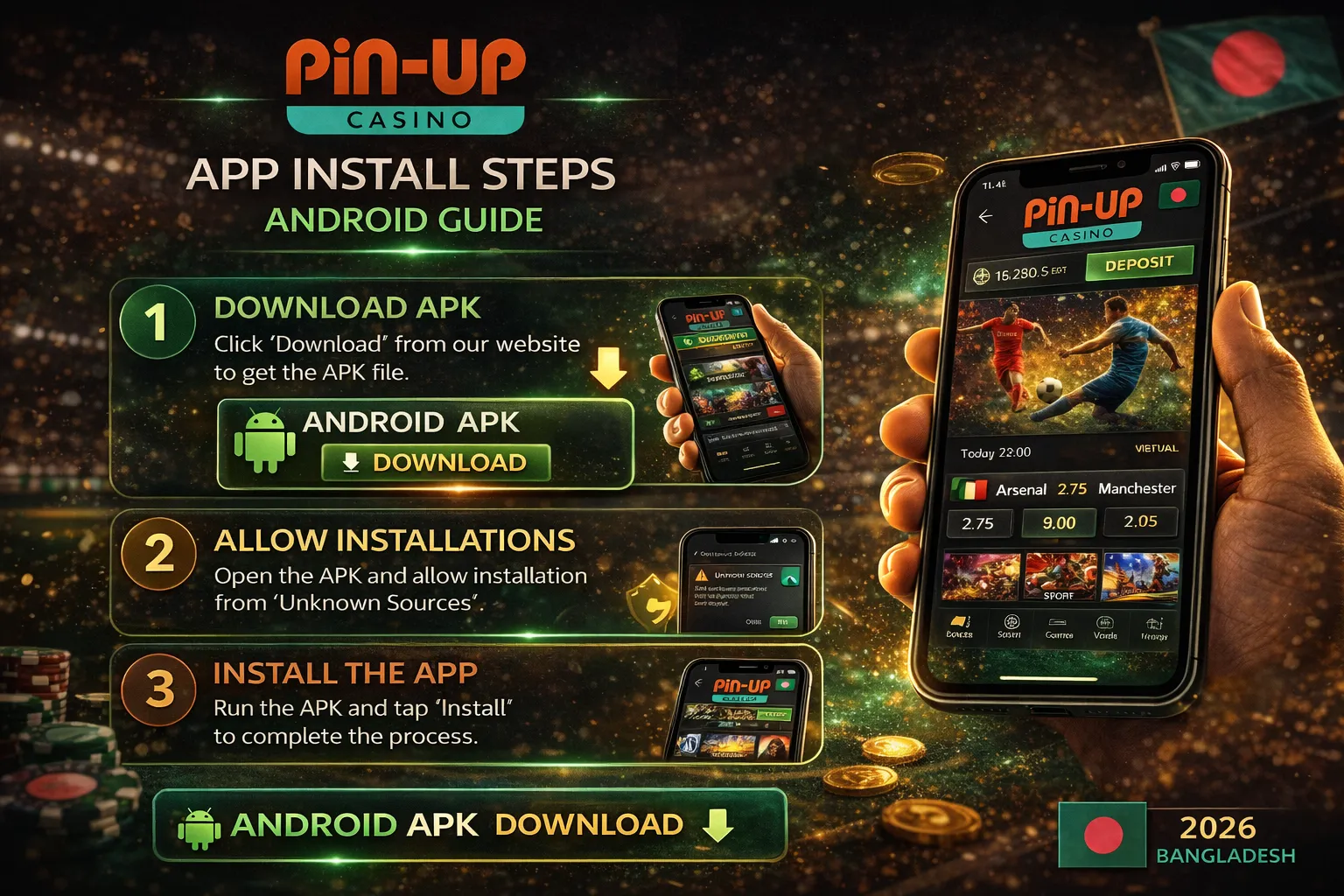
First-time APK install requires Android's "Unknown Sources" permission. Full process below.
Android 8.0+: Settings → Apps & notifications → Special app access → Install unknown apps → Chrome → Allow.
Android 6.0–7.1: Settings → Security → Unknown sources → ON.
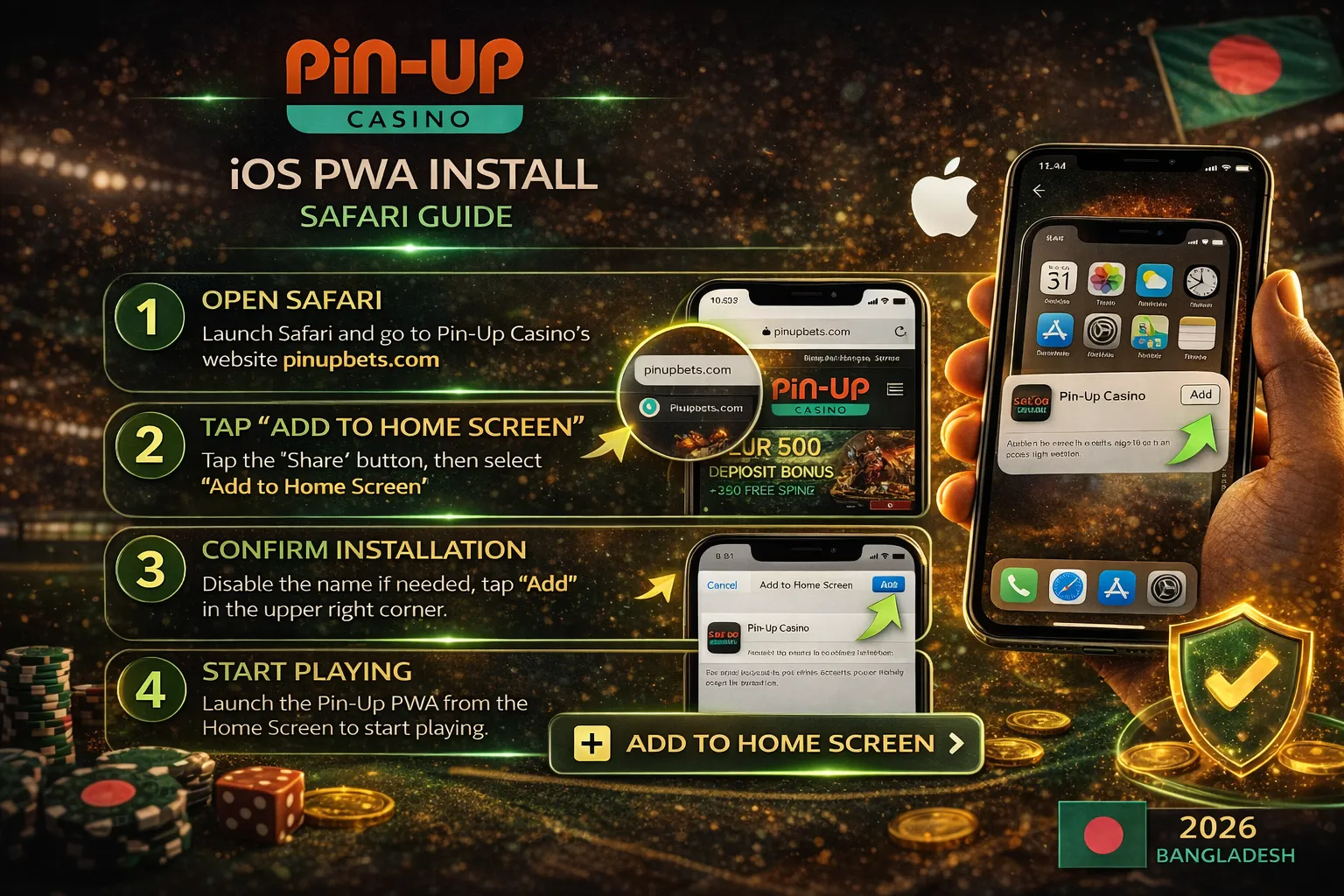
A native iOS app is still under development. Currently the PWA (Progressive Web App) version is essentially equivalent to a native app.
PWA = browser-based app that installs to the home screen, runs full-screen, and works partially offline. No App Store needed — installed directly from Safari.

"How well does the app run?", "Will it work on an old phone?", "How much battery does it eat?" — to answer, we tested the app on a Samsung Galaxy A23 (Android 12, 4GB RAM, 2022) and an iPhone 11 (iOS 17, 2019).
| APK download time | 28 seconds (4G) |
| File size | 47 MB |
| Enable "Unknown sources" | 40 seconds |
| Installation time | 22 seconds |
| App launch (first) | 3 seconds |
| App launch (regular) | 1.5 seconds |
| First game load (Aviator) | 4 seconds |
| Live stream start (IPL match) | 6 seconds |
| Total space (with cache) | 92 MB |
| Battery per hour of gaming | 8% |
| RAM usage | 310 MB |
| Safari visit → "Add to Home Screen" | 25 seconds |
| Install (instant) | 2 seconds |
| First launch | 4 seconds |
| Regular launch | 2 seconds |
| First game load (Sweet Bonanza) | 5 seconds |
| Live stream start | 7 seconds |
| Total space | 20 MB (Safari cache) |
| Battery per hour | 11% (Safari overhead) |
| Parameter | App (Android APK) | Mobile site |
|---|---|---|
| Installation | Once (30 sec) | Not needed |
| Space | 80–100 MB | Only browser cache |
| Game launch time | 4 seconds | 7–8 seconds |
| RAM usage | 310 MB | 450 MB (Chrome + tab) |
| Battery per hour | 8% | 12% |
| Push notifications | Yes | No (limited on Android Chrome) |
| Touch ID / Face ID | Yes | No |
| Updates | Manual (in-app prompt) | Automatic |
| Offline features | Limited (history view) | None |
| All games available | Yes (10,000+) | Yes (10,000+) |
Choose the app if: You play regularly (3+ times per week), watch live streaming, want push notifications (bonus alerts), want longer battery life.
Mobile site is better if: Old or low-space phone, occasional play, want to use multiple operators at once.
| Parameter | Pin Up | Mostbet | 1xBet | Crickex | Baji Live |
|---|---|---|---|---|---|
| Android APK size | 47 MB | 52 MB | 25 MB | 30 MB | 38 MB |
| Minimum Android | 6.0 | 6.0 | 5.0 | 7.0 | 6.0 |
| iOS Native | No (PWA) | Yes | Yes | No (PWA) | No (PWA) |
| iOS PWA support | Yes | Yes | Yes | Yes | Yes |
| Total games | 10,000+ | 8,000+ | 5,000+ | 3,000+ | 3,000+ |
| Live streaming | Yes | Yes | Yes | Limited | Limited |
| Bengali language | Yes (native) | Yes | Limited | Yes | Yes |
| Touch ID / Face ID | Yes | Yes | No | No | No |
| App Store rating | 4.6/5 (12K+) | 4.4/5 | 4.3/5 | N/A | N/A |
Pin Up is best for: Players wanting 10,000+ games, native Bengali support, live cricket streaming, on 4G connection. Alternatives: Want iOS native — Mostbet/1xBet. Want small APK (25 MB) — 1xBet.
Before installing any APK from an unknown source, verify it. Checklist below.
pin-up-bd.com — no typos (pinup-bd, pin-up-casinobd, etc.)| Problem | Cause | Solution |
|---|---|---|
| "App not installed" error | Older version already installed | Settings → Apps → Pin Up → Uninstall → re-install |
| "Parse error" | APK download incomplete | Re-download on Wi-Fi |
| "Install blocked" | Unknown sources not permitted | Settings → Security → Allow |
| App crashes on launch | RAM <1 GB or Android <6 | Use the mobile site instead |
| Live streaming not working | Slow connection | Check Wi-Fi, 4G minimum |
| Games don't load | Cache full | Settings → Apps → Pin Up → Clear cache |
| Doesn't stay logged in | "Remember me" off | Profile → Security → Keep me logged in: ON |
| Push notifications missing | OS permission | Settings → Apps → Pin Up → Notifications: Allow |
| iOS PWA missing from home screen | Tried via Chrome | Use Safari — Chrome doesn't support PWA |
No — Google Play doesn't approve gambling apps. Only via official pin-up-bd.com APK.
Yes — safe when downloaded from official pin-up-bd.com. You can verify with SHA-256 hash. Don't download from third-party sites.
Under development. The PWA version currently works. Apple's gambling app policy is restrictive — that's why no native iOS yet.
Android: 6.0+ (all phones from 2015), 1 GB RAM, 200 MB space. iOS: iOS 12.0+, iPhone 6 or newer.
Yes — 100% free. No download or subscription fee. You only need to deposit to play.
Yes — 10,000+ slots, 500+ live casino, Aviator, Crazy Time, all available. See the games list.
Yes — 30+ sports, live betting, live streaming, Cash Out. Detail on sports betting page.
When a new version is released, the app shows a notification — "Update available". Tap → download new APK → install. Old version is replaced.
Slot gaming: ~5–10 MB/hour. Live casino: ~100–200 MB/hour. Live streaming (HD): ~500 MB–1 GB/match.
Yes — the same credentials work everywhere. Balance and bet history sync.
Yes — fully. Minimum ৳200, 0% commission, instant. Step by step on the bKash deposit guide.
No — uninstalling only removes the app. Your account, balance, and history stay safe on Pin Up's servers. Log in anytime.
12 years analysing online casinos and mobile apps in India and Bangladesh. Tested hundreds of apps on both Android and iOS.
🔄 Last updated: 14 May 2026 · ✅ Fact-checked: casino.guru · MightyTips · open-source operator data
⚠️ 18+ | Responsible Gambling
Pin Up operates under Curacao licence OGL/2024/580/0570. Prohibited for those under 18. Play within your financial means.
If you have a gambling problem: GamCare · BeGambleAware · Mental-health support in Bangladesh: Kaan Pete Roi: 09611-677777